Define the flight.
Enter your departure, destination and alternates, with the time window you want to review.
Weather, NOTAMs and GNSS context. One briefing workspace.
Enter your departure, destination and alternates. Review available source information, timestamps and limitations together — then export a briefing for reference.
Free account required · Supplementary preflight information, not flight authorization
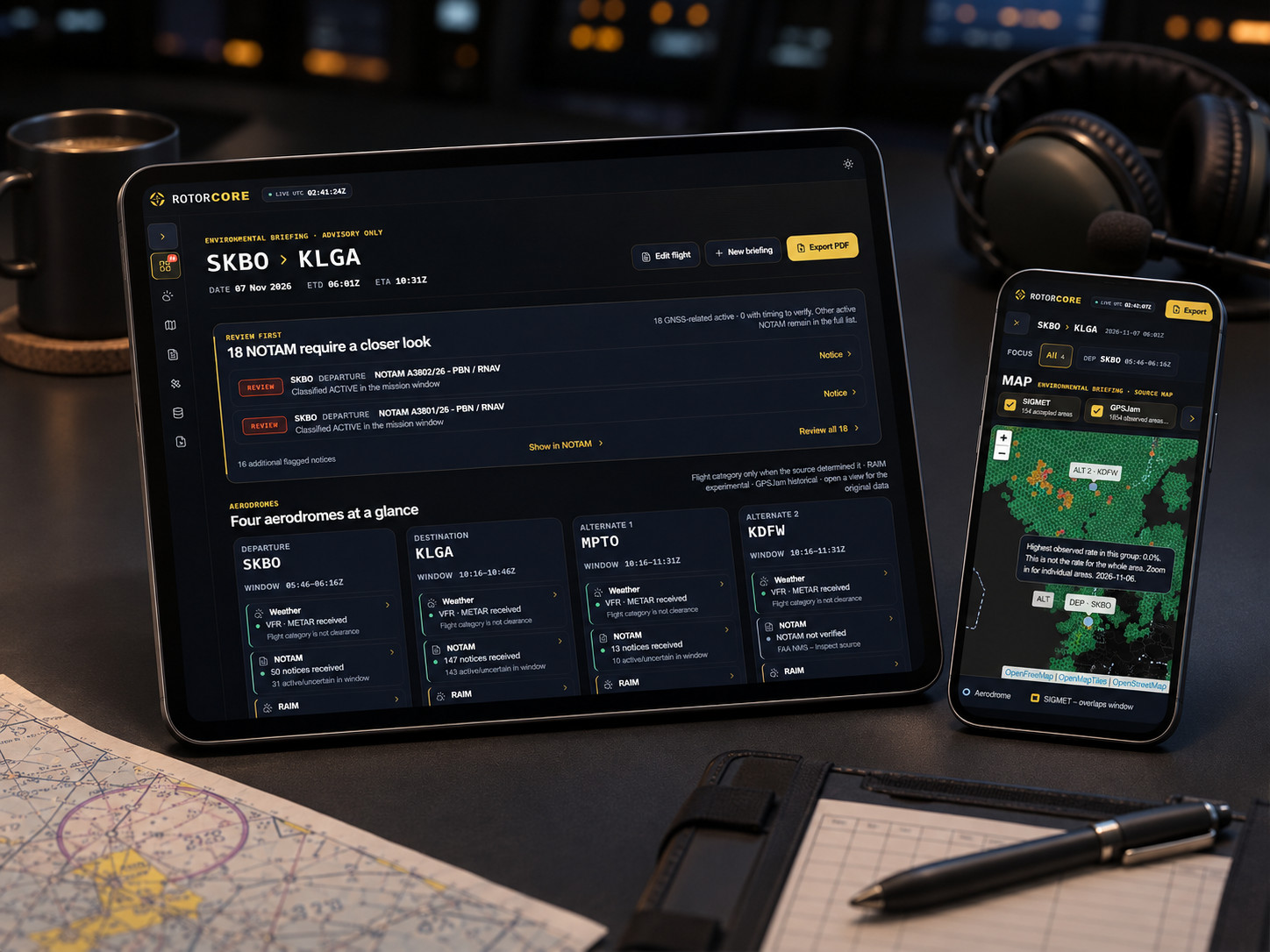 PRODUCT VISUAL · ILLUSTRATIVE
// 01 · FREE ENVIRONMENTAL BRIEFING
Designed to put environmental information and its limitations in one place, without pretending to replace official sources or the operator's procedures.
Enter your departure, destination and alternates, with the time window you want to review.
Examine available weather, NOTAM, historical GPS interference, global space weather and experimental airport RAIM—with provenance and data-status warnings.
Generate a Pilot Brief or Full Source PDF from the briefing. Source documents and operator procedures remain authoritative.
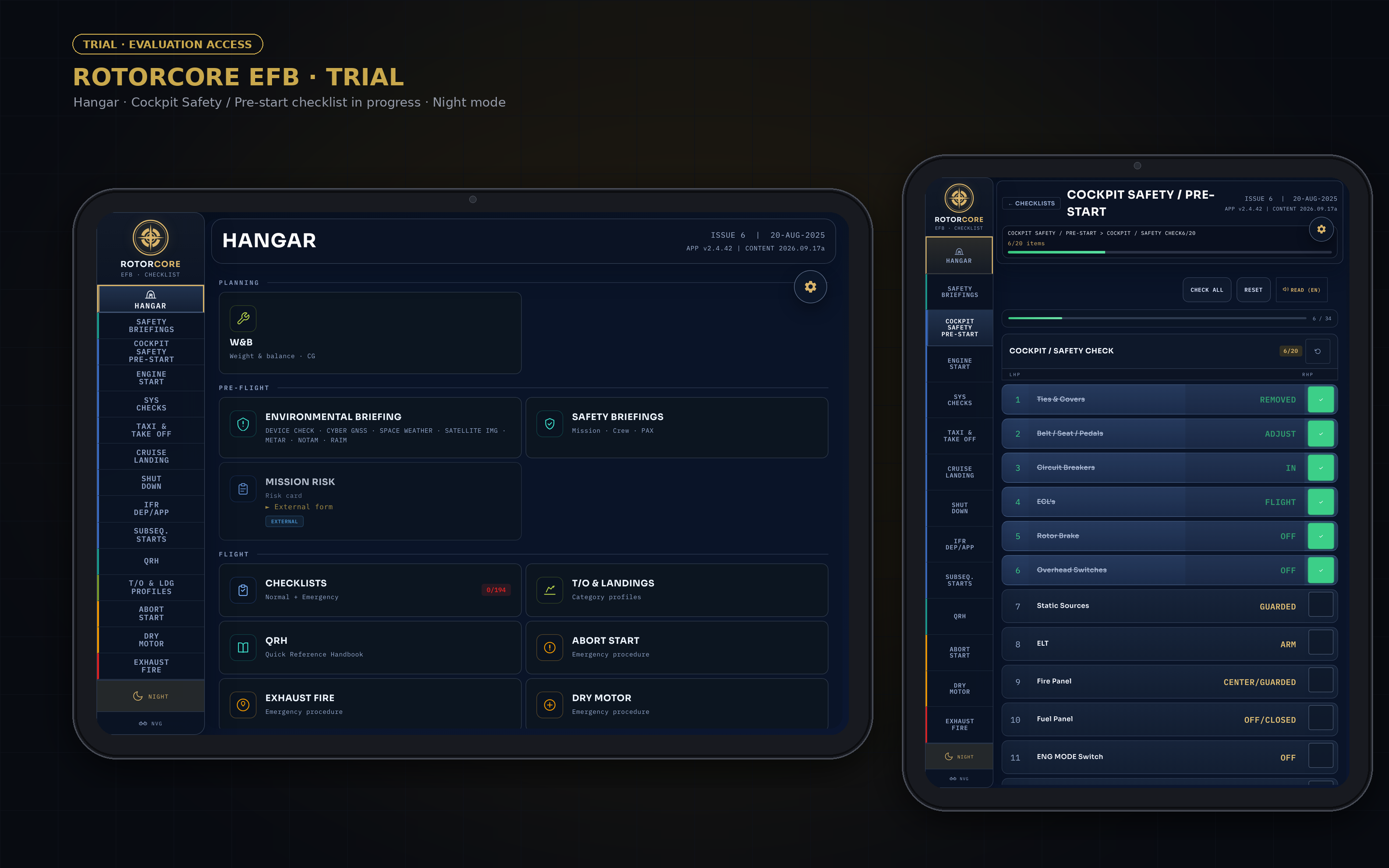
Checklists, PDFs, weight and balance sheets, performance charts, weather, NOTAM, GNSS services, fuel checks and company risk forms, each in its own window. ROTORCORE brings them into one continuous workflow built for helicopters.
Each source is correct. None of them talk to each other. The crew is the integration layer.
The same information, entered once and carried through one helicopter-native sequence. Official sources, approved manuals and operator procedures remain authoritative.

ROTORCORE connects cockpit references, checklists and mission preparation in a helicopter-focused EFB suite. Dispatch Mode is in development.
Every module states what it does and where it stops. Select one to open it.
Build the cabin configuration, enter crew, passengers, baggage and fuel, and check total weight and centre of gravity against the configured longitudinal and lateral envelopes.
Uses operator-provided aircraft data. The approved Weight & Balance method and the aircraft documentation remain authoritative.
METAR, TAF and NOTAM for the covered airports, space weather, GNSS integrity prediction and historical interference context, in one briefing view. Every item shows its source and validity.
Sources are configured per operator and depend on their availability. ROTORCORE does not originate this data.
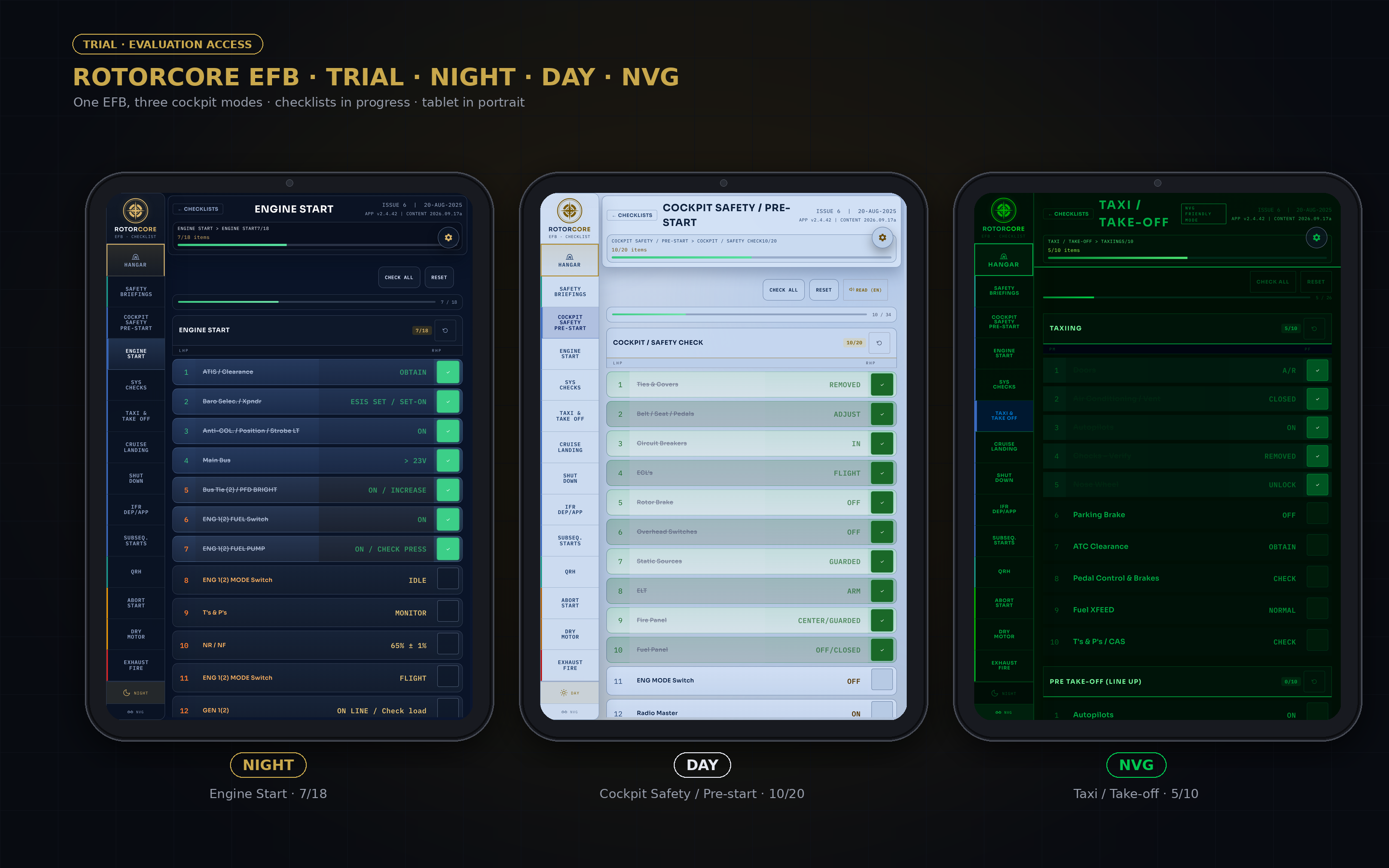
Operator-authorized procedures as a touch interface sized for gloved hands, with progress retained across interruptions and offline access.
Checklist content remains controlled and authorized by the operator.
Integrated access to the quick-reference content the operator provides, authorizes and controls, placed next to the active workflow.
ROTORCORE does not supply or approve QRH content. Operator-controlled and approved documentation remains authoritative.
Verify the values entered, convert units and surface discrepancies before the aircraft leaves the ground.
Verification aid only. Not a flight-planning, reserve or dispatch-release calculation.
Enter the operating conditions and read the reference values from operator-supplied data, with no manual chart interpolation.
Reference and decision-support tool only. It does not constitute engine-health monitoring or a maintenance release.
Configured access to operator-selected risk assessments, operational portals, safety systems and reporting tools, from the same workspace.
Configured access to operator-selected tools. No integration, synchronization, single sign-on or automatic submission is implied.
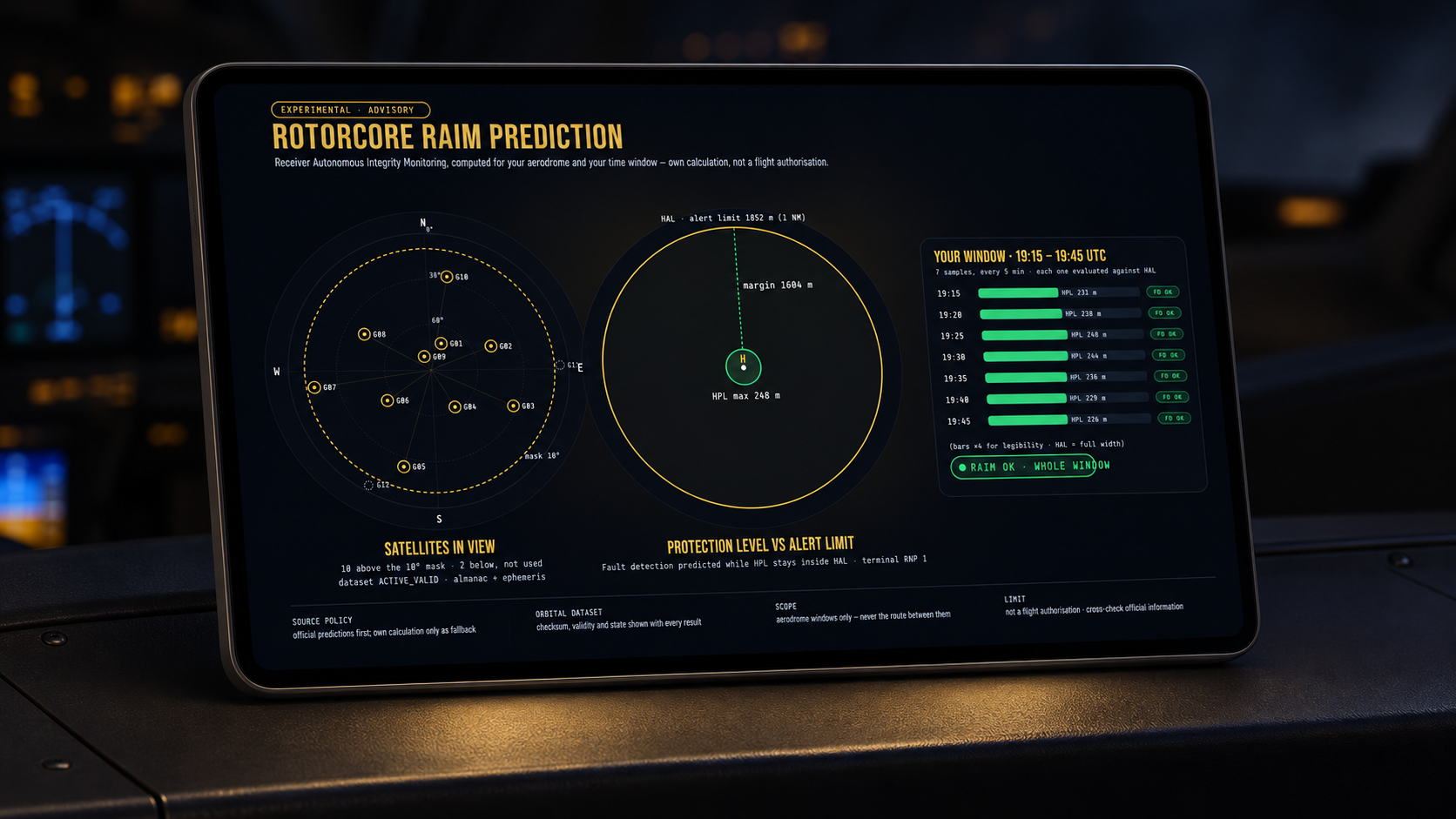
GNSS integrity prediction, even where official coverage stops.
For a planned location and time window, the engine produces an independent, advisory prediction of whether the expected satellite geometry can support the integrity the operation requires.
Where a supported official service covers the location, ROTORCORE uses it. Where it does not, the engine provides the prediction instead. The crew stays in one workflow and always sees which provider produced the result.
RAIM is an established aviation concept. What is proprietary is ROTORCORE's engine, its implementation and its place in the preflight workflow.
Advisory only. ROTORCORE RAIM does not replace certified avionics, approved navigation equipment, required official prediction services, operator procedures or regulatory obligations.
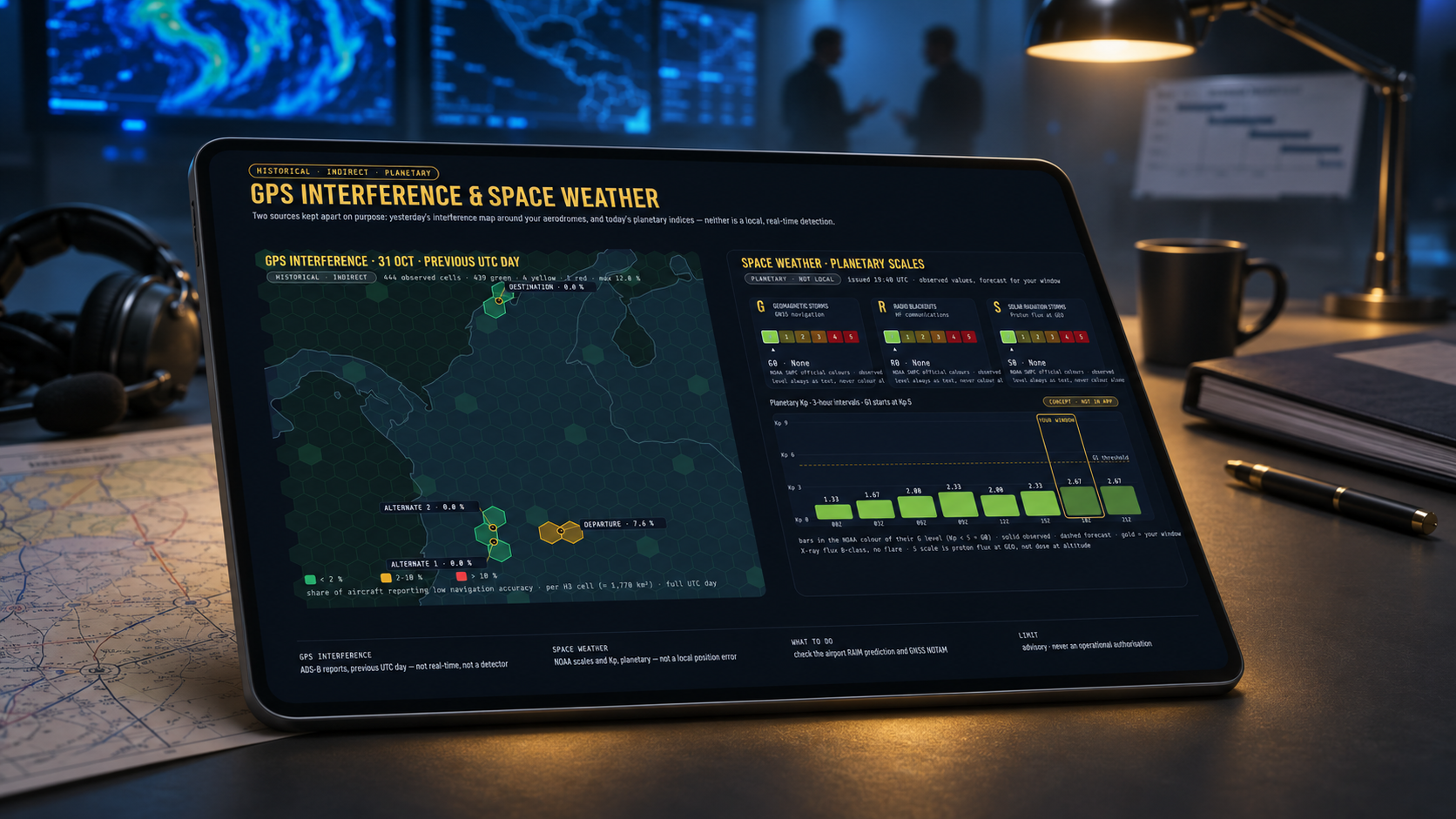
The briefing keeps integrity prediction and interference history apart, because they answer different things. Alongside them: METAR, TAF and NOTAM for the covered airports, and space weather.
Will the expected satellite geometry provide the required integrity for the planned time and location?
See the engine ↑Where was GNSS disruption recently observed?
Observations from a public open source, typically from the previous day. They provide context only and do not predict what will happen during the flight.
Advisory stays labelled advisory. Every limit is stated where the result appears.
The same sequence and the same layout for every crew and every aircraft in the fleet.
Built around the operator's approved procedures and documentation, never in place of them.
The cockpit does not depend on a signal. Critical information stays available offline.
The interface runs in day, night and NVG modes. NVG mode removes all red from every colour (R=0).
From the operations desk to the cockpit, as one controlled flight package. It is designed to save the desk and the crew from re-keying the same information.
Future capability. Nothing in this section is presented as available today.

Every module started as a task that took too long, or a number that had to be copied between three tools. ROTORCORE was built to remove that friction, by someone who had to deal with it on every flight.
No certification or authority approval is claimed. ROTORCORE is an advisory tool. Whether and how it is used operationally is the operator's decision, under the operator's own approvals and procedures.
ROTORCORE is configured per operator, using that operator's aircraft data, layouts and procedures. Nothing is presented as universal to all helicopters.
Yes, where implemented. Checklists and configured cockpit information stay available offline. Briefing sources need a connection to refresh.
No. It is historical open-source data, typically from the previous day. It is not real-time, it is not an onboard RF detector, and it does not confirm whether interference is present or absent during a flight.
ROTORCORE provides configured access to the tools the operator selects. It does not claim data integration, synchronization, single sign-on or automatic submission.
Not yet. Dispatch Mode is in development and is not available today.
ROTORCORE provides advisory preflight and cockpit-reference support. It does not replace certified avionics, approved manuals, official prediction services, operator procedures or regulatory obligations.
This page sets no cookies and contains no analytics or tracking scripts. Email enquiries sent to admin@rotorcore.tech are used only to reply to them.
ROTORCORE · admin@rotorcore.tech. Product names and images on this page are illustrative and contain no operational data.
ROTORCORE is advisory software. No certification or authority approval is claimed. Operator-approved data, manuals and procedures remain authoritative.